Light Manager — Collection Properties
Scene Light Manager enables collection-level overrides and specialized controls. This allows you to configure collection options and manage active overrides directly, applying bulk settings, locking specific values, or dictating properties across group instances.
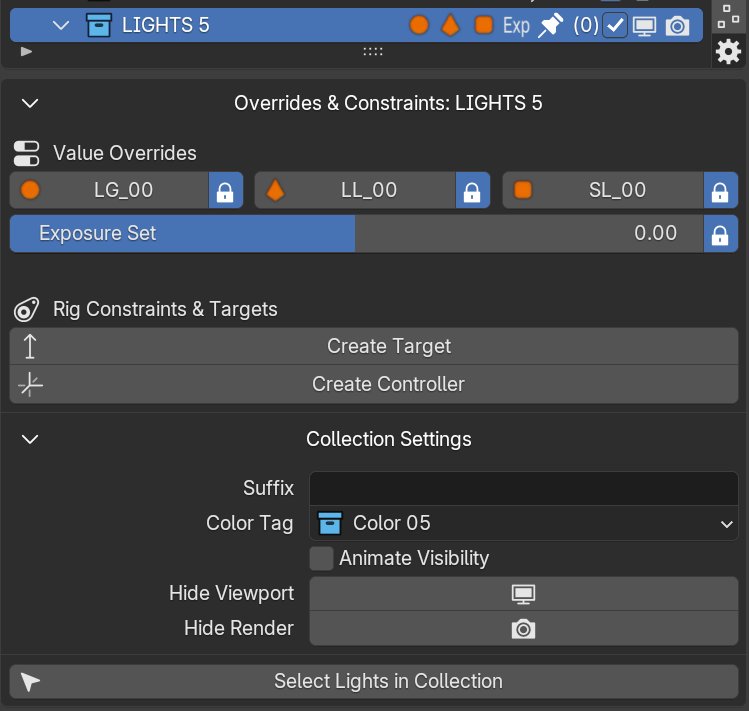
1. Custom Rig Collection Options
[IMPORTANT] Custom Rig Integration: Collections designated as Studio Rigs or custom rigs (e.g. containing SLM suffix names) expose specialized RNA properties inside the collection properties tab.
When a collection is marked as an active lighting rig, you gain access to the following custom properties:
- Rig Preset Type (
coll.k_tools_rig_type) Identifies the active light rig template (e.g., 3-Point Setup, Studio Duo, Warm-Cool Split, Dramatic Rim). This lets SLM's algorithms manage light relationships and targets contextually. - Lock Rig Exposure Toggle (
coll.k_tools_lock_exposure) Locks exposure calculations for every emitter within this collection. When turned on, global scene exposure shifts will not influence this rig. - Rig Exposure Value (
coll.k_tools_lock_exposure_val) A float value (-10.0 to 10.0) that defines the master exposure level applied as an override to all lights nesting under this collection. - Light Group Override (
coll.k_tools_lock_lg_val) Enforces a single Cycles Light Group naming override across all child lights, grouping them automatically in the Compositor.
2. Standard Collection Tracking
Standard collections organize your outliner. Turning visibility eyes or rendering states on/off at the collection level automatically mutes/unmutes child light properties tracked in the SLM list.